Category Tools and how to (tips)

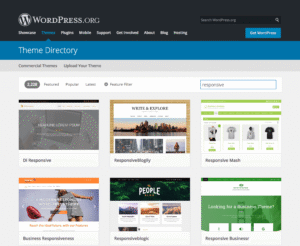
A screen capture of the Wordpress theme directory

Should You Use WordPress?

WordPress is a publishing platform that provides flexibility for course materials, facilitates open teaching practice, and serves as a public platform for student work. The flexibility of WordPress is one of its strengths, but it also means that the learning curve may feel steep for those using it for the first time. Is it right for your course?

DetailsShould You Use WordPress?

Pick up Slack

There is no shortage of discussion platforms to choose from if you’re interested in implementing one in your class. Among the available platforms is Slack, a third party communication app that blends elements of chat, discussion board, and social media.

DetailsPick up Slack

Three ways to manage WordPress contributions

If you’ve ever used WordPress in your class as a space for student contribution, you’ve likely wondered if there is an optimal way to see what is being published and who is making contributions. This information is vital in an online course where post and comment activity often happens asynchronously. In this Teaching Tip, we’ll discuss strategies that allow you to track student engagement and interaction.

DetailsThree ways to manage WordPress contributions

Creating Templates with Google Apps

Similar to Microsoft Word, Google apps support the creation of templates for documents with particular pre-formatted layout and style requirements. Templates are a simple–often overlooked–tool for saving time by eliminating the repetitive processes of formatting and layout. Templates help reduce cognitive overhead by allowing users to focus on creating content.

DetailsCreating Templates with Google Apps

Navigating nonstop news

How do you follow news online? We have so much access to information we can’t possibly read it all. Do you remember the episode of "I Love Lucy" where Lucy works at a candy factory? She has to wrap all the chocolate coming down the belt but it keeps moving faster and faster. The pace of news today can feel like this.

DetailsNavigating nonstop news

Planning your Prezi

Prezi separates itself from conventional presentation platforms by breaking free of the linear nature of slides. That being said, how do we effectively take advantage of its unique capabilities? One of Prezi’s greatest features is the way in which it presents multimedia content. It enables presenters to guide viewers through images, text, video, and audio media in a way that highlights the relationships between the information and ideas presented.

DetailsPlanning your Prezi

Interactive timelines

Creating an interactive timeline can provide perspective on how a topic has evolved, and how events occurred along the way. By using a Google Spreadsheet template and resources on the website,Timeline JS, you (or your students) can quickly create a multimedia-rich timeline.

DetailsInteractive timelines

Augmented Reality

Augmented Reality (AR) has been mentioned in the last couple years’ Horizon Reports for Higher Education as one of the latest upcoming technologies for education. You may have heard of new wearable technologies such as Google Glass that will bring AR to the masses in the near future.

DetailsAugmented Reality